See everything Git is doing.
Gitoryx is a native Git client for macOS, Windows and Linux. It draws your history as a graph you can act on: drag commits to rebase, stage a single line, undo any step.
No account needed. Opens the repositories you already have. Your code never leaves your machine.
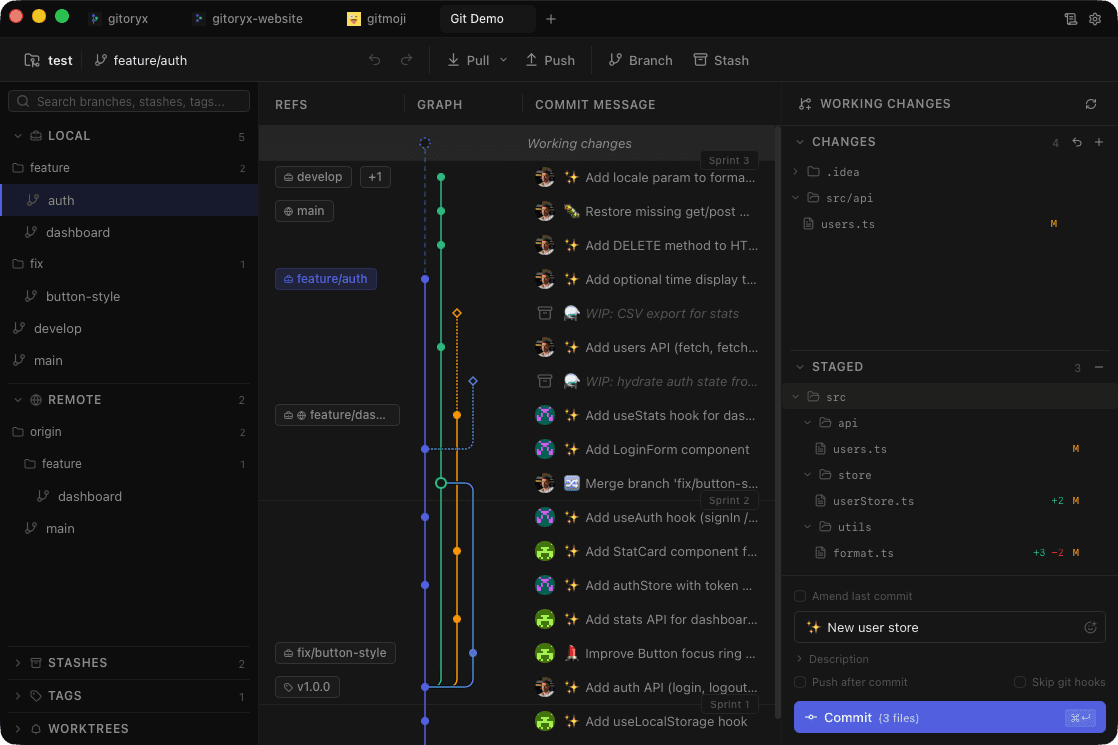
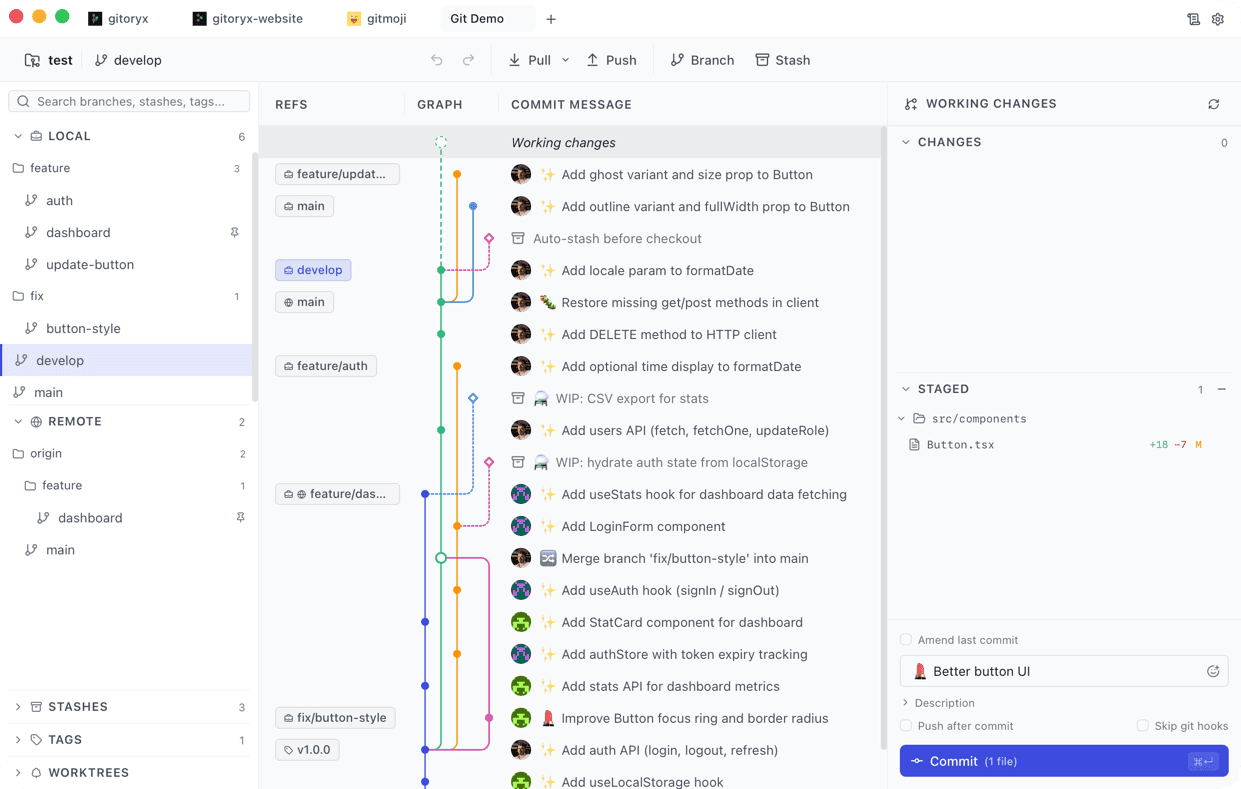
This window is live. Try it.
Nothing here is a screenshot. Click around: it behaves like the desktop app.
Everything you need, nothing you don't
Visual Commit Graph
Browse your entire history with a beautiful, color-coded graph. Infinite scroll, virtualized rendering.
Syntax-Highlighted Diffs
Unified and split views with char-level diffing, minimap, and per-line staging.
Smart Staging
Stage entire files, individual hunks, or single lines. Tree view with collapsible directories.
Branch Management
Create, checkout, rename, delete. Hierarchical tree with folder grouping for organized repos.
Interactive Rebase
Reorder, squash, edit, or drop commits with an intuitive drag-and-drop interface.
Gitmoji Integration
Pick from the full gitmoji library while writing your commit message. Built right into the commit panel.
Stash & Reset
Save work-in-progress with stash. Reset to any commit: soft/mixed/hard. All with undo safety.
Git Bisect
Pinpoint regressions in seconds. Visual binary search guides you commit-by-commit until the culprit is found.
Frequently asked questions
What Gitoryx does, what it costs, where it runs, and how it compares to the other Git clients.
What is Gitoryx?
Gitoryx is a native desktop Git client for macOS, Windows and Linux. It shows your repository as a colour-coded commit graph and turns the Git operations people usually drop to the terminal for, such as interactive rebase, bisect, stash management and line-level staging, into visual workflows with undo at every step. It works on the repositories you already have on disk; nothing needs to be migrated or re-cloned.
Is Gitoryx free?
Yes. The Free plan is a complete Git client for public and open-source repositories and needs no account. On private repositories the Free plan shows up to 30 commits of history and allows two Git identity profiles. The paid Pro plan lifts both limits and adds the advanced graph view, GitHub Enterprise and self-managed GitLab integrations, and priority support.
Which platforms does Gitoryx run on?
Gitoryx runs on macOS 12 and later (Apple Silicon and Intel), Windows 10 and later, and Linux on x86_64. Linux downloads are available as AppImage, .deb and .rpm packages. Linux builds use WebKitGTK and Secret Service for credential storage; without a Secret Service keyring running, credentials are kept in memory for the session only.
Does Gitoryx upload my code anywhere?
No. Gitoryx runs entirely on your machine and reads your local repositories directly. There is no Gitoryx server in the path: fetches, pulls and pushes go straight from your computer to whichever host you already use, whether that is GitHub, GitLab, Bitbucket or a self-hosted server. Repository contents are never sent to Gitoryx.
How is Gitoryx different from GitKraken, Sourcetree or Fork?
The two differences that matter day to day are performance and depth. Gitoryx is a native application, so it does not carry the memory and startup cost of a bundled browser engine, and history rendering is virtualised so a repository with tens of thousands of commits still scrolls smoothly. On depth, operations that other clients either hide or only partially expose, such as drag-and-drop interactive rebase, guided bisect and per-line staging, are first-class here. A feature-by-feature comparison against each client is published in the comparisons section.
Do I need to know Git commands to use it?
No, but Gitoryx does not hide Git from you either. Every action maps to a real Git operation and is named after it, so the interface doubles as a way to learn what Git is actually doing. If you want the underlying commands explained, the tutorials section walks through merge conflicts, rebase, stash, cherry-pick, reset, revert and tags with both the command line and the equivalent steps in the app.
Can I use Gitoryx alongside the Git command line?
Yes. Gitoryx operates on standard Git repositories with no proprietary metadata, so you can run commands in a terminal and see the result reflected in the app, or the other way round. Nothing locks you in: uninstalling the client leaves your repositories exactly as they were.
Still deciding? Read the client comparisons, browse the Git tutorials, or check what shipped in the changelog.

Stop fighting Git. Start shipping.
Download the fast, native Git client that developers actually enjoy using.
v1.2.0 · macOS 12+ (Apple Silicon or Intel) · Windows 10+ · Linux x86_64